
Avoid using subjects such as “help me” – be as specific as possible! The more detail, the better. Not sure if your issue warrants a service ticket? Make one anyway!
Create a Trouble Ticket
Right-Click KRIS IconD_Admin2021-11-16T21:04:29-06:00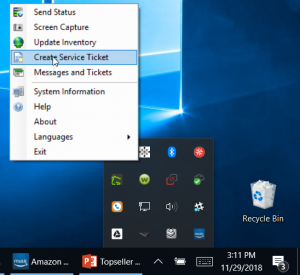
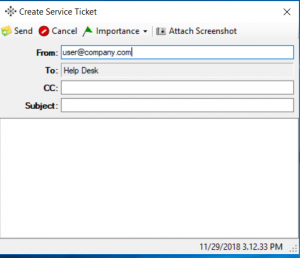
Right-click on the KRIS Icon in your system tray
Give as much detail as possible to create your trouble ticket – including in the subject line!
Watch your email for updates from the SomethingCool.com team.
Client PortalD_Admin2021-11-16T21:01:44-06:00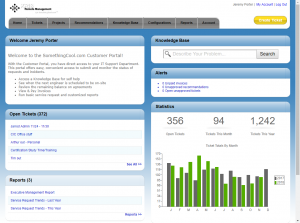
Go to the Client Portal at http://portal.somethingcool.com:
From the Client Portal, you can create a new ticket (be sure to include as much information as possible!), check on the status of projects, run reports, pay invoices and more.

